
**Last Updated: March 2026 | By HostPicksHub Team**
**Featured Image:** Search “website speed” or “fast loading” on Unsplash.com
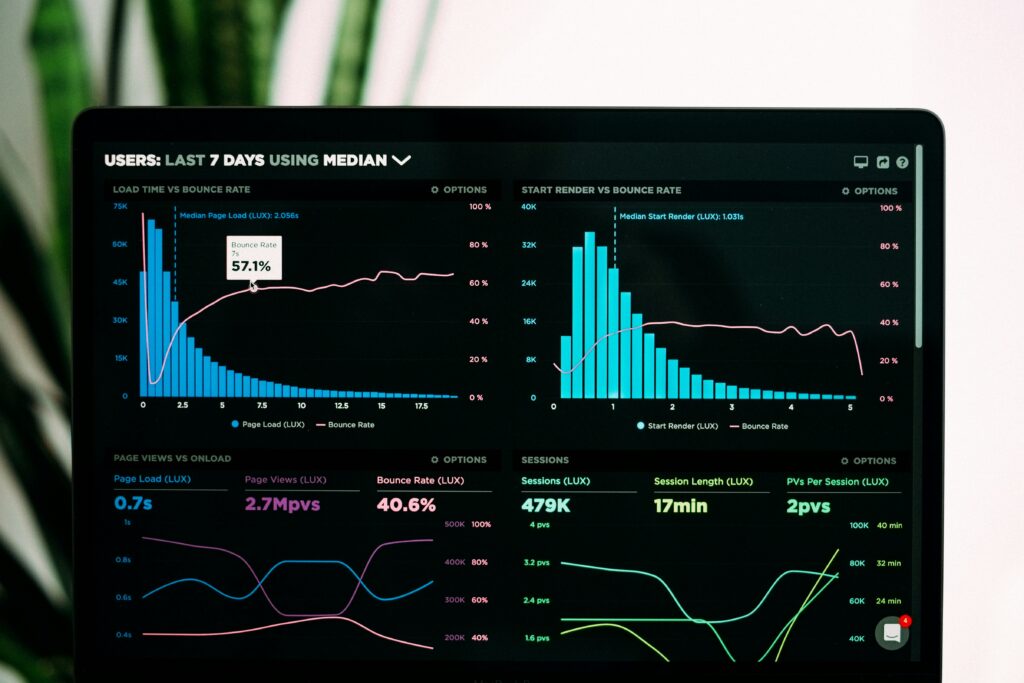
Website speed isn’t just about user experience — it directly impacts your search engine rankings, conversion rates, and bounce rates. Studies consistently show that even a one-second delay in page load time can reduce conversions by 7%.
Here are 10 actionable strategies to make your website load faster.
## 1. Choose a Fast Hosting Provider
Your hosting provider is the foundation of your website’s speed. No amount of optimization can compensate for a slow server.
Look for hosts that offer SSD or NVMe storage, LiteSpeed web servers, and data centers close to your target audience. Premium shared hosting or managed WordPress hosting typically delivers the best speed-to-price ratio for small to medium sites.
## 2. Use a Content Delivery Network (CDN)
A CDN stores copies of your website on servers around the world. When someone visits your site, they receive files from the server closest to them, dramatically reducing load times.
Cloudflare offers a free CDN plan that works well for most websites. Simply sign up, point your domain to Cloudflare’s nameservers, and your content will be distributed globally.
## 3. Optimize Your Images
Images are usually the heaviest elements on any web page. Unoptimized images can account for 50-80% of a page’s total size.
Before uploading images, compress them using tools like TinyPNG or ShortPixel. Use modern formats like WebP, which offers better compression than JPEG or PNG. And always specify image dimensions to prevent layout shifts during loading.
## 4. Enable Browser Caching
Browser caching tells visitors’ browsers to store certain files locally. When they return to your site, their browser loads these cached files instead of downloading everything again.
Most caching plugins (like WP Rocket or LiteSpeed Cache) handle this automatically. You can also set caching headers manually through your .htaccess file.
## 5. Minify CSS, JavaScript, and HTML
Minification removes unnecessary characters from your code — spaces, comments, line breaks — without changing how it works. This reduces file sizes and speeds up loading.
Plugins like Autoptimize or WP Rocket can handle minification automatically for WordPress sites. For other platforms, online tools like Minifier.org work well.
## 6. Reduce HTTP Requests
Every element on your page — images, scripts, stylesheets, fonts — requires a separate HTTP request. More requests mean longer load times.
Combine CSS files where possible, use CSS sprites for small images, and eliminate unnecessary plugins and scripts. Aim to keep total requests under 50 for optimal performance.
## 7. Enable GZIP Compression
GZIP compression reduces the size of files sent from your server to the browser, typically by 60-80%. Most modern hosting providers enable GZIP by default, but it’s worth verifying.
You can check if GZIP is enabled using tools like GTmetrix or by checking your server configuration.
## 8. Optimize Your Database
Over time, your WordPress database accumulates overhead — post revisions, spam comments, transient options, and orphaned data. This bloat slows down database queries.
Use a plugin like WP-Optimize to clean your database regularly. Schedule automatic cleanups weekly to keep things running smoothly.
## 9. Use Lazy Loading
Lazy loading delays the loading of images and videos until they’re about to appear in the viewport. This means your page loads faster initially because it doesn’t need to download every image at once.
WordPress includes native lazy loading for images since version 5.5. For more control, plugins like WP Rocket offer advanced lazy loading options.
## 10. Choose a Lightweight Theme
A bloated theme loaded with features you don’t need will slow your site down significantly. Choose a lightweight, well-coded theme that prioritizes performance.
Recommended fast themes include Astra, GeneratePress, and Kadence. These themes are designed to be lightweight while still offering plenty of customization options.
## How to Test Your Website Speed
Use these free tools to measure your current performance:
**Google PageSpeed Insights** — Provides both mobile and desktop scores with specific recommendations.
**GTmetrix** — Offers detailed waterfall charts and performance metrics.
**Pingdom Tools** — Simple interface with the ability to test from different locations.
Test your site from multiple locations and on both mobile and desktop. Aim for a load time under 3 seconds and a PageSpeed score above 80.
## The Bottom Line
Website speed optimization is an ongoing process, not a one-time task. Start with the biggest wins — choosing fast hosting, optimizing images, and enabling caching — and then work your way through the remaining optimizations.
Even small improvements in load time can have a significant impact on user experience and search engine rankings. Every millisecond counts.
—
*Disclosure: HostPicksHub may earn a commission from affiliate links. This never influences our recommendations.*